



Deposit at Phwin: Clear Methods, Limits and Payment Checks
Deposit at Phwin is the point where an account moves from browsing to actual play, so choosing the right payment route deserves more attention than simply tapping the first familiar logo. Different methods come with different limits, channels, bonus choices, and payment instructions. A few checks before sending money can prevent most avoidable deposit problems.
Inside Phwin, players can choose among several familiar funding options, including GCash, Maya, GCashQR, GCASHPAY2, GrabPay, Online Banking, and USDT. The useful part is not the number of choices. It is knowing which one fits the amount being deposited and how the payment will be handled.
Deposit Methods Available at Phwin
The Deposit menu separates payment methods rather than treating every transaction the same. For peso deposits, the main options include:
- GCash
- Maya
- GCashQR
- GCASHPAY2
- GrabPay
- Online Banking
USDT is also available for users who prefer cryptocurrency.
At first glance, GCash, GCashQR, and GCASHPAY2 may seem interchangeable. They should not automatically be treated that way. Each can lead through a different payment route, and the instructions shown after selection may not be identical.
A player with funds already sitting in GCash, for example, usually gains little by moving the money to another wallet first. The cleaner approach is to check the available GCash channel, confirm its limit, and complete the transaction directly. Its convenience helps explain why many Filipino bettors prefer GCash for deposits and withdrawals instead of moving funds through several payment services.
Maya and GrabPay make similar sense when the balance is already held there. Convenience comes less from choosing a supposedly superior wallet and more from avoiding unnecessary transfers between services.
Online Banking
Online Banking suits users who would rather fund the account directly from a bank balance instead of maintaining money in an e-wallet.
It can also become useful when the intended Deposit does not fit comfortably within the current limit of a wallet channel. Rather than splitting a larger amount into several smaller payments without checking the rules, compare the available banking route first.
USDT
USDT deserves separate treatment because it introduces an extra detail that peso wallets do not: The blockchain network.
A crypto deposit is only straightforward when the receiving address, token, and required network all match. Sending USDT through an incompatible network can create a far more complicated problem than entering the wrong amount into an e-wallet form.
Treat every new USDT deposit as a fresh transaction. Check the receiving details shown at that moment rather than relying on an address saved from an earlier payment.
Deposit Limits and Amount Selection
One small detail in the Deposit screen can easily cause confusion: Preset amount buttons are not necessarily the same thing as the maximum Deposit limit.
With the selected GCash route, players can see preset amounts including:
- ₱100
- ₱300
- ₱500
- ₱800
- ₱1,000
- ₱3,000
- ₱5,000
- ₱8,000
- ₱10,000
- ₱20,000
The screen also shows a Deposit range of ₱100 to ₱50,000 for the selected route.
That distinction matters. Seeing ₱20,000 as the largest preset button does not automatically mean ₱20,000 is the maximum accepted amount. A player planning to deposit ₱25,000 should look at the displayed limit and the manual amount field rather than assuming the largest visible button defines the ceiling.
GCash Channel Selection
GCash may display more than one channel, such as:
- G-Cash Ch.20
- G-Cash Ch.14
- G-Cash Ch.17
These channel numbers are not decoration. Availability or transaction conditions can differ, so changing from one channel to another should be followed by another quick limit check.
Suppose Ch.20 is selected for a ₱5,000 Deposit, but the user switches to Ch.14 before confirming. The sensible move is to recheck the amount range instead of assuming everything remained unchanged.
Deposit limits can be operational rather than permanent. The figure visible during the transaction is more useful than an amount remembered from a previous session.
Completing a Deposit
The process is simple when each decision is made in the right order.
- Open Deposit from the account menu.
- Choose the payment method where the funds are currently held.
- Select an available payment channel when more than one is offered.
- Pick a preset amount or enter a permitted amount manually.
- Check the minimum and maximum Deposit limits shown on screen.
- Choose a promotion or select the no-promotion option.
- Press Apply for Deposit.
- Follow the payment details created for that transaction.
- Check Deposit History after payment.
The order matters more than it appears.
A common bad habit is starting the payment first and thinking about the bonus afterward. Another is using a QR code or receiving detail saved from an earlier Deposit. Both create unnecessary uncertainty.
Payment instructions should come from the current Deposit request because routing details can change.
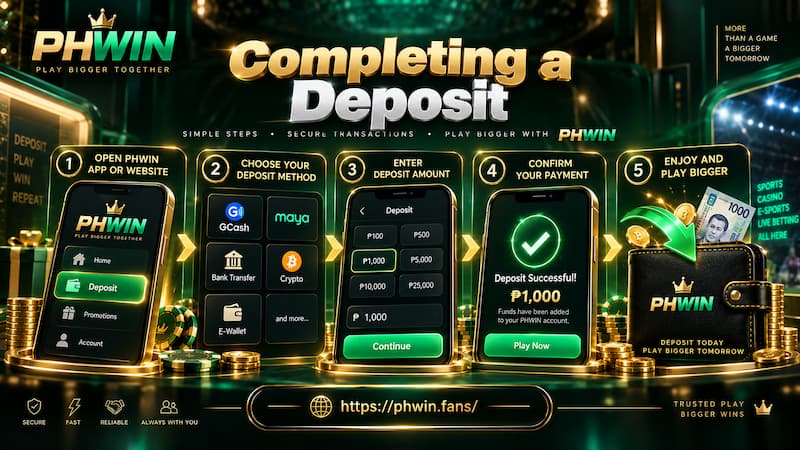
Completing a Deposit
Preset Amount or Manual Amount?
Preset buttons are useful when the intended value matches one exactly. A ₱1,000 Deposit, for example, can be selected in one click.
The manual field becomes useful when the desired amount falls between presets. If the current limit allows ₱2,500, there is no reason to force the transaction into ₱1,000 or ₱3,000 simply because those buttons are visible.
The important check is whether the manually entered value falls inside the active channel’s displayed range.
Deposit Bonuses and the No-Promotion Option
Deposit bonuses can change the conditions attached to the funds, so the decision should be made before payment rather than treated as an automatic extra. Check the current phwin promotion terms before choosing a bonus, since wagering and eligibility conditions can differ between offers.
The Deposit screen can include choices such as:
- First Deposit Bonus
- Daily First Cash-In Bonus
- Do not participate in any promotions
The most attractive-looking bonus is not automatically the right choice for every Deposit.
Before selecting one, check the current conditions attached to it, including:
- Minimum qualifying Deposit
- Bonus amount
- Wagering requirements
- Eligible games
- Maximum benefit
- Withdrawal conditions
- Expiry or completion period
These details determine whether the promotion matches the way the account will actually be used.
Depositing Without a Bonus
The Do not participate in any promotions option deserves as much attention as the bonus buttons.
Some players simply want to add funds without attaching promotional conditions. In that situation, deliberately choosing no promotion can make more sense than claiming a bonus merely because it is available.
For example, someone depositing ₱3,000 for a short session may prefer simpler balance conditions. Another user planning a longer playing period may find a qualifying Deposit bonus more relevant. Neither choice is automatically better; the intended use of the funds should decide.
Choosing a Deposit Method for the Amount
A useful Deposit decision starts with two questions: Where is the money now, and how much needs to be transferred?
Small and Regular Peso Deposits
For routine funding, an existing e-wallet balance is usually the simplest starting point.
If ₱1,000 is already available in GCash, moving it to another service before depositing creates an extra transaction without adding much value. Check the current GCash route, confirm the limit, and proceed if the details fit.
The same reasoning applies to Maya and GrabPay.
Larger Deposits
For a larger amount, do not use the biggest preset button as the main reference.
Suppose the intended Deposit is ₱30,000. If the active channel displays a maximum of ₱50,000, the manual amount field may allow the payment even though the largest preset button is ₱20,000.
If the chosen route does not accept the amount, compare another channel or Online Banking before dividing the payment into several smaller transactions.
Multiple deposits can make later tracking harder, especially when identical amounts are sent within a short period.
USDT Deposits
USDT can be practical for users already comfortable with crypto transfers, but it requires more deliberate checking.
Before confirming:
- Verify that the asset is USDT.
- Check the required blockchain network.
- Copy the current receiving address carefully.
- Compare the beginning and end of the address after pasting.
- Confirm the intended amount before sending.
A peso wallet mistake may sometimes be corrected before the payment leaves the app. Crypto transactions generally leave far less room for recovery after confirmation.
When a Deposit Does Not Appear
A missing balance update does not automatically mean the payment failed. Before assuming something went wrong, check FAQs for common payment-status issues and then review the transaction record inside Deposit History.
Start with Deposit History. Check whether the Deposit request exists and what status is recorded. Then compare that record with the receipt or transaction history from GCash, Maya, the bank, or the crypto wallet used.
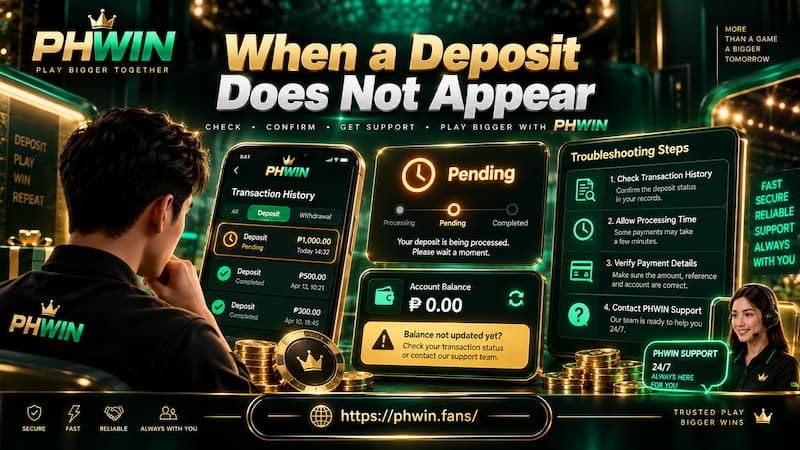
When a Deposit Does Not Appear
Before contacting support, collect:
- Deposit amount
- Payment method
- Channel used
- Approximate payment time
- Transaction or reference ID
- Screenshot of the completed payment
- Deposit History record
This creates a clear trail for one transaction.
Avoid immediately sending the same amount again. If a ₱5,000 payment is still being processed and another ₱5,000 is sent five minutes later, there are suddenly two similar transactions to distinguish. Resolve the first one before creating another unless its status clearly shows that payment was not completed.
Final Deposit Checks
A good Deposit takes only a few extra seconds to verify.
Before pressing the final payment button, confirm that:
- The selected method matches the wallet or account holding the funds.
- The intended channel is still selected.
- The amount falls inside the displayed limit.
- A manually entered value contains no extra digit.
- The desired bonus or no-promotion option is selected.
- Payment instructions belong to the current transaction.
- USDT network details match exactly when using crypto.
- The payment receipt is kept until the balance is credited.
- Deposit History contains a record that can be checked later.
The best Deposit route is not necessarily the first one in the menu or the method used last time. It is the one whose current limit, instructions, and conditions fit the transaction being made today.